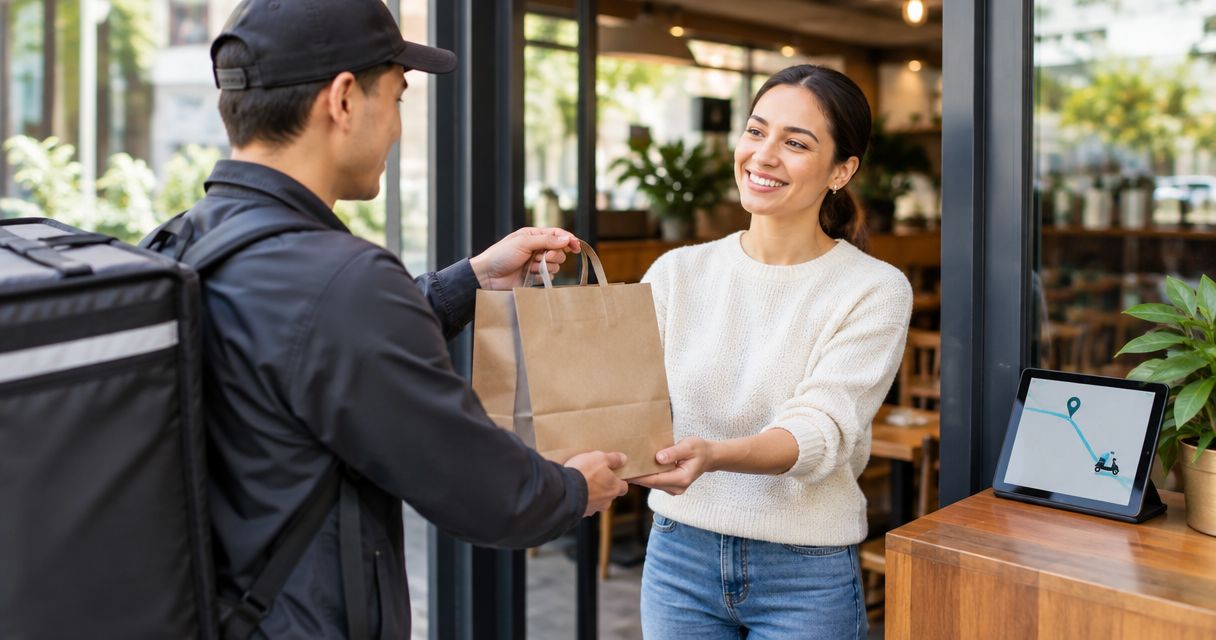
Best overall: Zapiet for Shopify merchants combining local delivery and collection. Best for delivery routes: EasyRoutes. Best starting point without another app: Shopify’s native local delivery. This 2026 guide compares seven options by the job you need to solve, from choosing a delivery date to organising the driver’s journey.
- Zapiet is the best Shopify local delivery app choice here for merchants combining delivery, in-store pickup and curbside collection.
- EasyRoutes suits delivery-route planning; checkout scheduling and driver operations are different jobs.
- Compare Pickeasy, Bird, Stellar and DingDoong when choosing delivery-date and collection workflows.
- Start with Shopify’s native local delivery if you need a simpler baseline before adding an app.
Why this matters
A Shopify local delivery app can solve a checkout problem, a fulfilment problem or both. Those are different purchasing decisions. A delivery-date selector does not, by itself, organise a driver's stops.
For your 2026 shortlist, write down the missing job first: delivery eligibility, scheduling, collection, delivery charges or route planning. Then compare software against that job rather than treating every delivery-related app as interchangeable.
What makes the best Shopify local delivery app?
Use these criteria before choosing an option:
- Customer choice: Can shoppers understand whether they should select delivery or collection?
- Delivery eligibility: Does the workflow support the area you actually serve? Test addresses at the boundary.
- Scheduling fit: Check the date-selection experience against your preparation and dispatch process.
- Collection fit: If you offer collection, assess it alongside delivery rather than as a separate afterthought.
- Operational fit: Separate taking delivery orders from organising stops and handing orders to drivers.
- Checkout fit: Check the current documentation against your Shopify configuration before committing.
The best choice is the option that handles your missing workflow without creating another one for staff to manage. Treat these criteria as acceptance tests, not a feature-count competition.
Shopify local delivery options at a glance
This 2026 shortlist includes six app options and Shopify’s built-in alternative. The native option is a benchmark, not a standalone app.
| Rank | Option | Best for | Standout focus | Key limitation to assess |
|---|---|---|---|---|
| 1 | Zapiet | Delivery and collection together | Local delivery, in-store pickup and curbside/BOPIS | Choose the relevant apps and delivery-rate approach |
| 2 | EasyRoutes | Planning delivery rounds | Delivery routes and driver workflow | Assess checkout scheduling separately |
| 3 | Pickeasy | Collection-led shops | Pickup and delivery scheduling | Check the driver workflow separately |
| 4 | Bird Pickup Delivery Date | Customer date selection | Pickup and delivery dates | Test rules against real preparation constraints |
| 5 | Stellar Delivery Date & Pickup | Date-led ordering | Delivery-date and pickup selection | Assess delivery execution separately |
| 6 | DingDoong | Comparing scheduling workflows | Delivery and pickup scheduling | Test the full customer-to-staff handoff |
| 7 | Shopify native local delivery | Establishing a baseline | Built-in local delivery setup | Not a standalone scheduling or routing app |
The limitation column identifies what to investigate. It does not claim that an untested feature is absent.
1. Zapiet: best for delivery and collection together
Zapiet builds Shopify apps for local delivery, in-store pickup and curbside/BOPIS. Its scope also includes distance- and zip-based delivery rates, plus restaurant and coffee-shop ordering. That makes it the strongest match here when your requirements extend beyond selecting a delivery date.
Best for: Merchants who need delivery and collection in the same buying journey.
Zapiet pros:
- Covers both local delivery and in-store pickup.
- Includes curbside/BOPIS use cases.
- Offers distance- and zip-based delivery-rate options.
Zapiet cons and checks:
- An app suite requires you to identify which components address your requirements.
- A merchant who only needs route planning should assess a route-focused option instead.
Verdict: Buy for a combined delivery-and-collection requirement, after confirming the relevant app configuration.
2. EasyRoutes: best for planning delivery rounds
EasyRoutes focuses on the operational side of local delivery: organising routes and the driver workflow. Assess it when orders already reach your store but turning those orders into delivery rounds is the difficult part. Keep customer scheduling on a separate requirements list.
Best for: Merchants whose main problem starts after the order arrives.
EasyRoutes pros:
- Focuses the evaluation on delivery execution.
- Gives route planning a dedicated place in your workflow.
- Suits a shortlist built around driver operations.
EasyRoutes cons and checks:
- Route planning does not replace a delivery-eligibility policy.
- Confirm how your existing checkout scheduling connects to fulfilment.
Verdict: Buy for route-led requirements; hold if customer scheduling is the actual gap.
3. Pickeasy: best for collection-led shops
Pickeasy belongs on the shortlist when pickup and delivery scheduling are central to the order experience. Start your assessment with collection: what the customer selects, what staff receive and how an order becomes ready for handover. Then test the delivery journey separately.
Best for: Shops evaluating collection scheduling alongside delivery.
Pickeasy pros:
- Addresses pickup and delivery scheduling.
- Supports a collection-first evaluation.
- Keeps the shortlist focused on the ordering stage.
Pickeasy cons and checks:
- Scheduling still needs clear preparation rules from your team.
- Assess route planning separately if you run delivery rounds.
Verdict: Buy for a collection-led scheduling requirement once the handover tests pass.
4. Bird Pickup Delivery Date: best for customer date selection
Bird Pickup Delivery Date is a scheduling-focused candidate for merchants assessing pickup and delivery dates. Evaluate the customer-facing selection before reviewing less essential settings. A date choice only works when the selected date reaches the staff responsible for preparing the order.
Best for: Shops prioritising how customers choose a fulfilment date.
Bird Pickup Delivery Date pros:
- Focuses on pickup and delivery dates.
- Offers a clear scheduling use case to evaluate.
- Fits a shortlist centred on customer order selection.
Bird Pickup Delivery Date cons and checks:
- Test date choices against your actual preparation process.
- Do not treat date selection as evidence of route-planning coverage.
Verdict: Hold until the customer selection and staff order view match.
5. Stellar Delivery Date & Pickup: best for date-led ordering
Stellar Delivery Date & Pickup is another candidate when the delivery date is central to the purchase. Assess it through a complete order rather than judging the selector alone. The useful outcome is an order your team can prepare for the date the shopper chose.
Best for: Merchants building their evaluation around the requested fulfilment date.
Stellar Delivery Date & Pickup pros:
- Addresses delivery-date selection.
- Includes pickup in its stated scope.
- Provides a scheduling-focused comparison option.
Stellar Delivery Date & Pickup cons and checks:
- Your team still needs a defined preparation and handover process.
- Evaluate dispatch and driver needs separately.
Verdict: Hold until date handling passes a complete order test.
6. DingDoong: best for comparing scheduling workflows
DingDoong belongs in a scheduling comparison when you want to assess another approach to delivery and pickup selection. Use the same test orders across candidates. A consistent test exposes differences more clearly than separate demonstrations built around each app’s strongest screen.
Best for: Merchants comparing customer selection with the staff fulfilment workflow.
DingDoong pros:
- Addresses delivery and pickup scheduling.
- Adds another scheduling workflow to the shortlist.
- Fits an evaluation centred on the order handoff.
DingDoong cons and checks:
- A satisfactory selector is not enough without a usable staff workflow.
- Check delivery eligibility and route requirements independently.
Verdict: Hold until the customer-to-staff handoff meets your requirements.
7. Shopify native local delivery: best for a baseline
Shopify includes native local delivery functionality. It is not a standalone app, but it belongs in the comparison because you should establish what your existing platform handles before choosing additional software. Write down the specific requirement that makes you look beyond it.
Best for: Merchants establishing whether built-in local delivery covers their immediate needs.
Shopify native local delivery pros:
- Provides a built-in starting point.
- Lets you assess local delivery before adding another app.
- Creates a baseline for judging additional features.
Shopify native local delivery cons and checks:
- Do not assume it supplies a specialist scheduling workflow.
- Assess driver routing as a separate operational requirement.
Verdict: Hold on adding an app until you identify a concrete gap.
How the options are ranked
The ranking prioritises the stated use case, not a claimed performance score. Combined delivery and collection comes first; route operations and narrower scheduling requirements follow. The native Shopify option provides the baseline.
For a 2026 decision, run 3 test orders: one eligible delivery, one address outside your service area and one collection. Check 2 delivery-boundary addresses, one inside and one outside the area. These are recommended checks, not product-performance measurements.
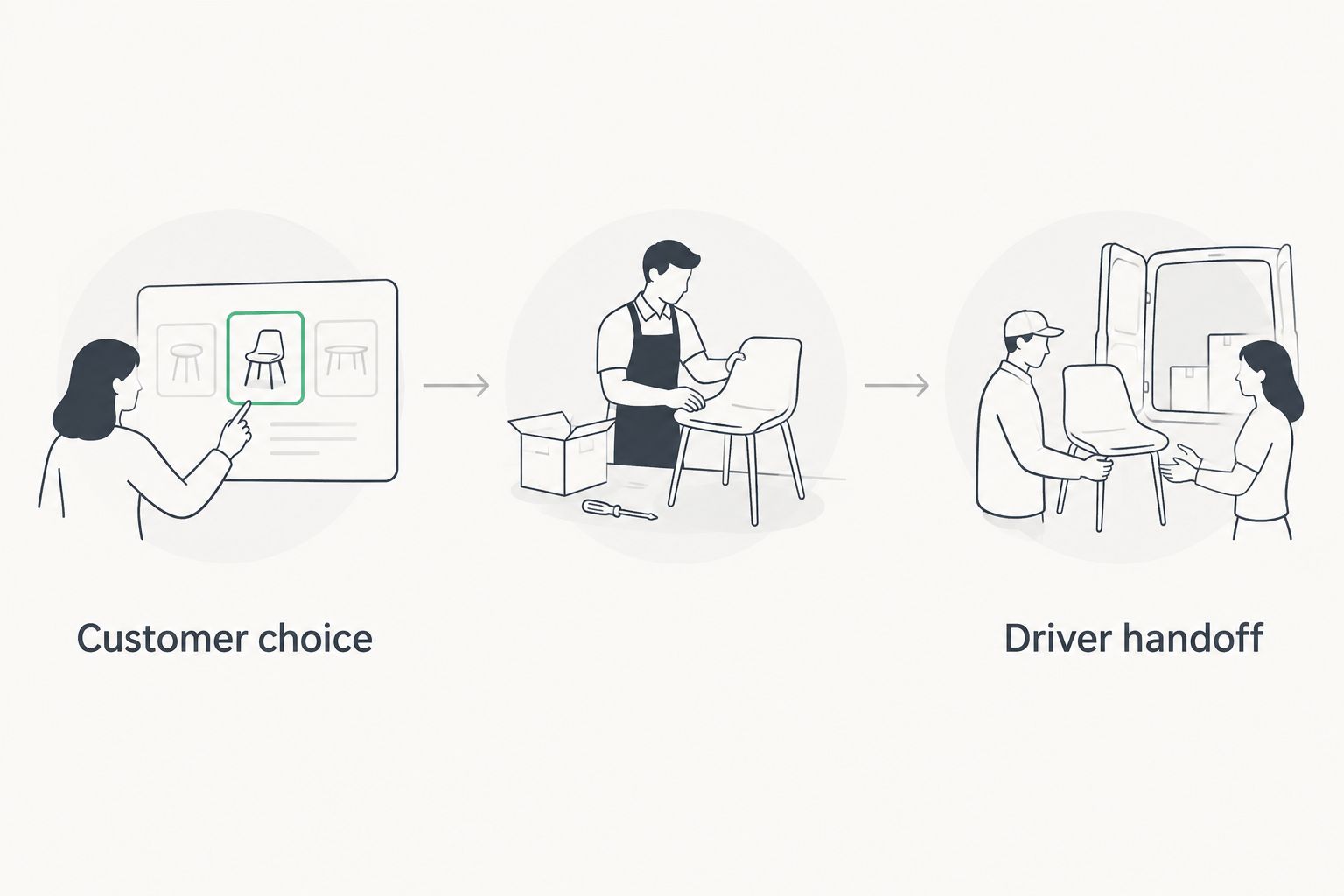
Move each test through 3 stages: Customer choice, Staff preparation and Driver handoff. For collection, the final stage becomes the customer handover.
Which option should you choose?
Choose Zapiet for a Shopify local delivery app requirement that combines delivery, in-store pickup and curbside collection. Choose EasyRoutes when organising delivery rounds is the priority. Compare the scheduling candidates when date selection is the missing piece.
For your 2026 purchase, require each shortlisted option to pass the same order tests. Keep Shopify’s native delivery as the baseline, and add software for an identified requirement rather than a longer feature list.
FAQ
What's the best Shopify local delivery app for pickup too?
Zapiet is the strongest fit in this shortlist for merchants combining local delivery, in-store pickup and curbside/BOPIS. Confirm which apps and configuration match your ordering requirements.
Which option should I assess for delivery routes?
Assess EasyRoutes when route planning and driver operations are your main requirements. Evaluate customer scheduling separately rather than assuming routing solves checkout selection.
Does Shopify have local delivery without an app?
Yes, Shopify includes native local delivery functionality. Use it as your baseline before choosing software for additional scheduling or operational requirements.
Is a delivery-date app the same as a route planner?
No, delivery-date selection and route planning solve different jobs. Scheduling captures the customer's choice; route planning organises the delivery journey.
How do I compare Shopify delivery scheduling apps?
Run the same eligible delivery, out-of-area delivery and collection orders through each candidate. Check both the customer selection and the information your staff receive.
What should I check before choosing an app in 2026?
Check delivery eligibility, scheduling, collection, staff handoff and driver requirements against your Shopify configuration. Use current app documentation and complete order tests before committing.
One last thing
Start with the rejected order. Test an address outside your delivery area before testing the easiest successful checkout. A clear refusal protects the delivery promise you make to customers; an attractive date selector alone does not establish that boundary.